Free Seedream 4.5 AI Image Generator
Remix Any Photo with Seedream 4.5
Seedream 4.5 runs on BytePlus ModelArk, so it actually understands the layout, character pose, lighting, and material cues inside your upload. Use DreamSync references, multi-subject prompts, or structured scene descriptions and watch the model restyle everything while preserving what matters.

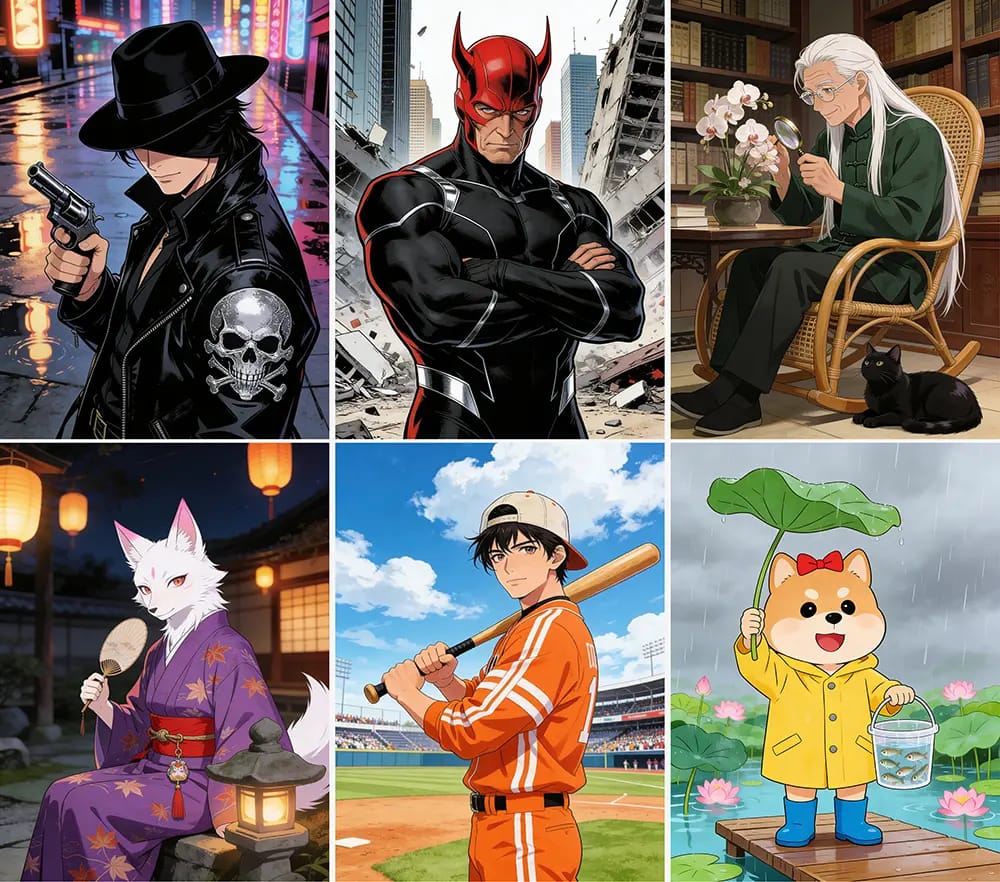

What is Seedream 4.5 Image-to-Image?
It's the latest Seedream 4.5 release from BytePlus that can edit, restyle, or regenerate scenes using a reference image. Unlike basic filters, the model tracks structure, supports text-to-image, image editing, reference-based creation, and multi-image batches, so you can quickly explore new looks without rebuilding the shot from scratch.
How to Use Seedream 4.5
Three quick steps inspired by the official prompt guide:
Why Use Our Seedream 4.5 Workflow?
Honestly, this setup gives you pro-grade control with a super simple flow. Here's what stands out:
Who Uses Seedream 4.5?

Turn one photoshoot into dozens of posts by shifting outfits, set design, or lighting using Seedream 4.5 prompt swaps. Keep your talent consistent with DreamSync while matching whatever trend hits TikTok or Reels this week.

Need three thumbnail directions before upload? Seedream 4.5 lets you restyle scenes into neon gaming vibes, cozy vlog palettes, or polished editorial looks in one click, no Photoshop layers required.

Drop in your base product photo, then generate region-specific backgrounds, seasonal lighting, or premium material finishes. Seedream 4.5 keeps geometry accurate so packaging, labels, and reflections stay sharp.

Preview how your concept art looks as watercolor, toon, 3D render, or volumetric cinematics with Seedream 4.5. Use multi-image references to keep props and characters aligned before investing in full production renders.
Seedream 4.5 FAQs
Stuff people usually ask:
What's different about Seedream 4.5?
It combines text-to-image, image editing, and reference-based generation in one workflow. The model tracks structure and lighting better than previous releases, so you can restyle scenes without losing subject integrity.
What kind of images work best?
Clear high-resolution shots (up to 4096x4096, 24MB) with readable subjects. Portraits, fashion, architecture, landscapes, and packshots all do great—as long as the model can detect edges and depth.
Can I control how dramatic the change is?
Yep. Dial the strength slider, call out elements to keep (pose, wardrobe, logo), or use DreamSync + ControlNet references for extra consistency across batches.
Which file formats are supported?
JPEG, PNG, and WEBP on input. You can export PNG or WEBP for lossless workflows or social-ready JPGs after download.
Is it OK for commercial projects?
Outputs generated using paid subscription benefits or paid credits may be used commercially and, as between you and KOOX AI, belong to you to the extent permitted by law. Outputs generated using free access or free credits remain owned by KOOX AI to the extent KOOX AI has rights in them; free users receive only a personal, non-commercial, non-transferable license. Rights are determined when the Output is generated, and upgrading later does not retroactively transfer ownership. Third-party rights and model-specific terms still apply.
What if the prompt misses the mark?
Refine with the Seedream 4.5 prompt guide structure: subject + action + style + lighting + camera. Adding reference images or rerolling with slight variations usually fixes it fast.
How fast are renders?
Most Seedream 4.5 jobs finish in a few seconds thanks to the ModelArk backend. Larger resolutions or multi-image batches might take closer to a minute, but you can queue more while you wait.
Do I get usage limits?
Free users get a starter quota. Paid tiers unlock higher daily limits, 4K upscaling, and priority inference. Check your dashboard anytime to see credits.
Create with Seedream 4.5
Spin up your next shot in under a minute. See what the new Seedream 4.5 style packs can do for your brand.